AI creation
Make a character that is yours
Describe an original mascot or upload your own reference. One generation creates 12 expressions and a complete platform ZIP.
30 credits / set
Explore AI Studio →Original characters. One complete emote set.
Create a custom 12-expression set with AI, choose a finished mascot pack, or resize artwork you already have. Get the right files for your channel—not just one image.
AI credits from $9.90 · finished packs $4.95 · no subscription required
Already have artwork? Use the free resizer ↓One character. All 12 chat reactions.
Capybara · 12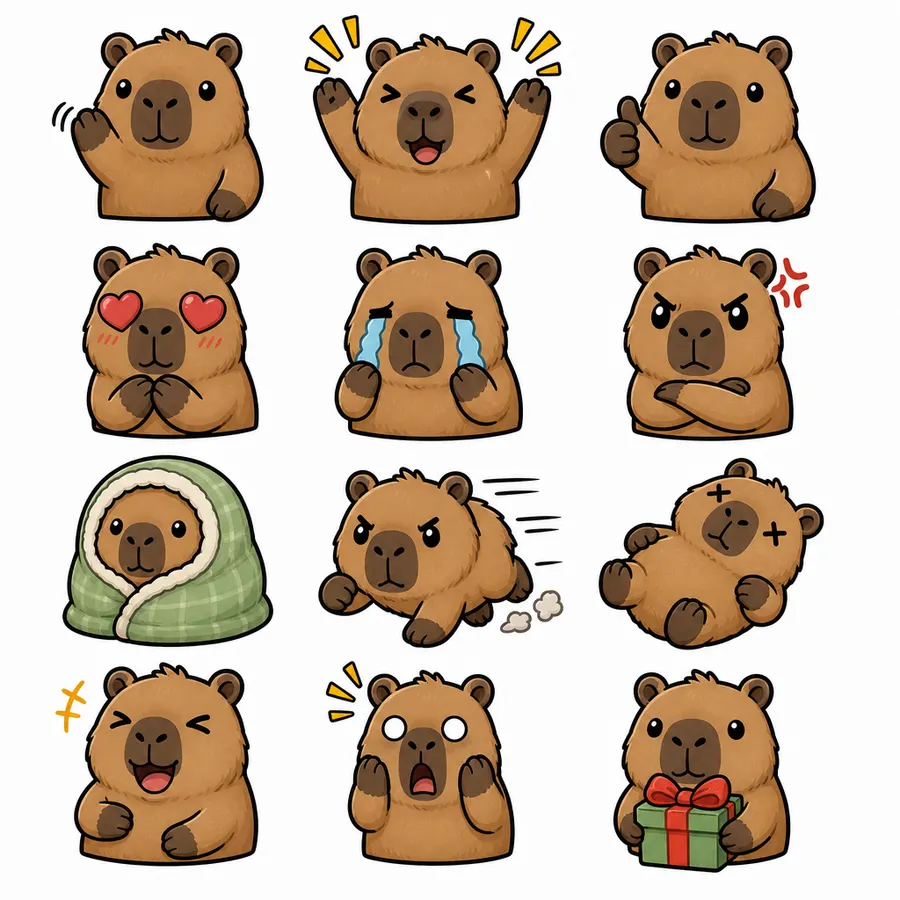
Finished Capybara pack preview—not a guaranteed AI result. Your AI set is generated from your own prompt or reference.
AI creation
Describe an original mascot or upload your own reference. One generation creates 12 expressions and a complete platform ZIP.
30 credits / set
Explore AI Studio →Ready-made packs
Preview every expression before buying. Get transparent PNGs, simple-motion GIFs, platform sizes and upload notes.
$4.95 / complete pack
Find my mascot →Free creator tools
Resize your own PNGs and GIFs in your browser. No account, no payment and no upload to our server.
Free
Resize my artwork →Resize Twitch emotes to 112x112, 56x56, 28x28 instantly. 100% free, supports animated GIFs, works in your browser.
Drop your emote here (up to 5)
or click to browse
PNG JPG GIF WebP
Tip: For best results, upload images at least 112x112 pixels.
Upload up to 5 emotes at once! All images are processed in your browser.
These are real finished packs from the gallery. Open one to see all 12 expressions and every included file.
12 expressions, transparent PNGs, simple-motion GIF exports, six badge expressions and README / license notes. Re-download owned packs without spending credits again.
28 / 56 / 112px PNG
128px PNG
48px PNG
28 / 56 / 112px GIF
18 / 36 / 72px PNG
512px PNG + README
The $9.90 starter pack gives you 5 custom 12-expression sets. Buy more only when you want to create more.
Welcome to the premier free Twitch emote resizer designed specifically for Twitch streamers. Whether you're a new Affiliate looking to set up your first emote slots or a seasoned Partner managing a vast collection, our tool is built to make the emote creation process effortless and completely free.
Unlike other tools that hide premium features behind paywalls, our Twitch emote resizer free tool provides every feature at no cost. Unlimited free emote resizer functionality means you can process as many emotes as you need without ever paying a cent.
Your designs are precious. Our client-side emote resizer processes everything locally in your browser - your emotes never leave your device. This privacy-focused emote resizer approach means your creative work stays completely private.
No software to download, no accounts to create, no watermarks to remove. Our browser-based emote resizer works instantly on any device. Whether you're on Windows, Mac, or Linux, you can resize image to 28x28, 56x56, or 112x112 sizes immediately.
Our Twitch emote size guide ensures every emote meets Twitch's strict requirements. The tool automatically handles aspect ratio corrections, size scaling, and format optimization so your emotes look perfect on every device.
Understanding Twitch Emote Size Requirements
Resize Image to 28x28 (1x Size)
Resize Image to 56x56 (2x Size)
Resize Image to 112x112 (3x Size)
Start in your favorite design software (Photoshop, Procreate, etc.) with a canvas of at least 224x224 pixels, though 448x448 or larger is better. Create a square design with a transparent background. Remember that fine details may disappear at the 28x28 size, so keep designs relatively simple. Save your work as a PNG or GIF if you want animation.
Drag your emote file onto our batch emote resizer or click to browse. Our unlimited free emote resizer accepts PNG, JPG, GIF, and WebP formats. For animated emotes, GIF files work best. You can upload up to 5 emotes at once.
Our Twitch emote size guide shows you exactly how your emote will appear at each size. Use the visual size comparison to ensure your design remains recognizable even at the smallest 28x28 chat size. If something doesn't look right, go back and adjust your original design.
Using manual upload mode without the complete 28x28, 56x56, and 112x112 file pack
Using non-square images which get cropped unexpectedly
Exceeding the 1MB file size limit causing upload failures
Using overly complex designs that lose detail at 28x28 pixels
Not testing how the emote looks in actual chat
Prepare platform-ready images, emotes, badges, banners, thumbnails, timestamps, and creator assets without installing software.
Twitch Tools
Create animated Twitch GIF emotes with transparent backgrounds, frame controls, and a 1MB compliance check.
Twitch Tools
Generate the complete 18×18, 36×36, and 72×72 subscriber badge pack.
Twitch Tools
Create 28×28, 56×56, and 112×112 custom reward icons.
Twitch Tools
Crop and resize a profile image to a crisp 256×256 square.
Twitch Tools
Prepare a 1200×480 Twitch profile banner.
Twitch Tools
Create clean 320px-wide channel panels.
Twitch Tools
Create a 1920×1080 offline screen for your channel.
Twitch Tools
Resize overlay artwork to a 1920×1080 streaming canvas.
Twitch displays emotes at 28x28, 56x56, and 112x112. The default Auto-resize mode accepts one square source image; manual upload mode uses three separate files.
The exact Twitch emote dimensions are 28x28 pixels for the smallest size (1x), 56x56 pixels for the medium size (2x), and 112x112 pixels for the largest size (3x). All three sizes must be square with a 1:1 aspect ratio. Our Twitch emote size guide explains each size's purpose in detail.
Yes! Our GIF emote resizer fully supports animated GIFs. The tool preserves your animation while converting to the exact pixel dimensions Twitch requires. You can resize image to 112x112 and other sizes while maintaining animation frames and quality.
Yes, our Twitch emote resizer free tool is 100% free with no hidden costs. Unlike competitors that limit batch processing or add watermarks, our unlimited free emote resizer provides all features at no charge. Streamers love it because there's no paywall blocking important features.


